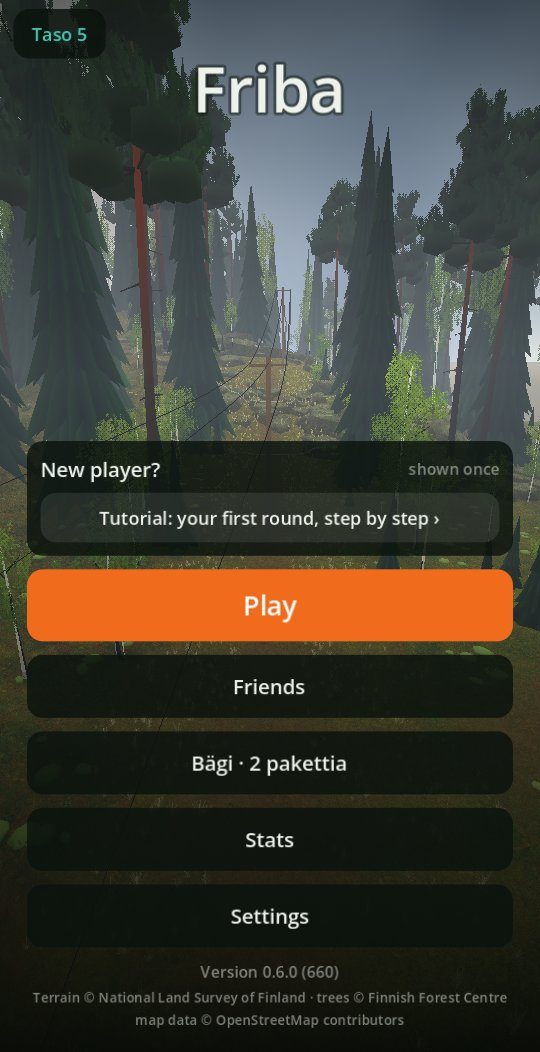
Version 0.6 brings collecting discs: Disc packs, your own collection, a limited bag, and levels and experience. Progress and records therefore start over. The in-round view has been rebuilt from the same parts as the menus: the same colour palette, the same sizes and the same buttons in all three layouts (portrait, landscape and PC).
Disc packs and your collection
Progress starts over. Every disc is now an individual (model, plastic and colour), and they accumulate on a shelf. A round uses a bag that starts with five slots. The starter pack has Tikka, Hauki and Näätä in base plastic.
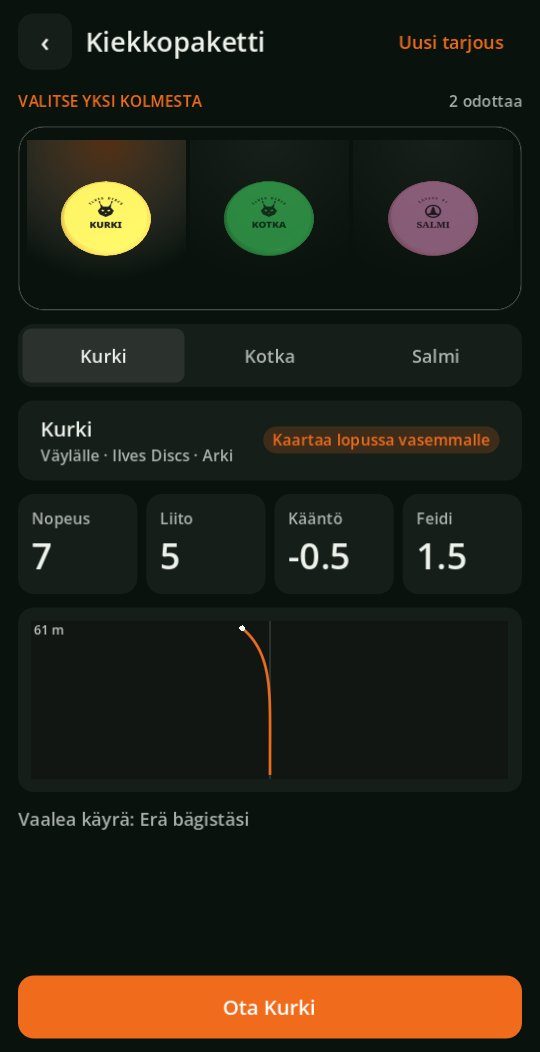
New discs come from Disc packs. A pack has three discs on display, and you choose one. Each shows flight numbers and a flight path compared with the nearest disc in your bag, and the offer can be changed once. Packs come from:
- every level: experience accumulates from played holes and from the score compared with the course's rating, and the Daily Round and the weekly round give more. Every fifth level gives a Wish pack, where you first choose the disc type.
- course stars: every star gives a pack the first time, ★★★ a Wish pack and also a bag slot.
- hole challenges: every quarter of a course's challenges gives a pack.
- achievements: Birdie streak, Under par, Eagle, Cannon, Ladder master and Ace.
Fast discs become available with levels: speed 8 at once, 9 from level 3 and all speeds from level 18. The bag grows to 15 slots from levels 3 and 7 and from three stars on courses. The level button in the main menu opens Progress, which shows the coming levels with their rewards. The collection is saved to the account on the server and travels from device to device.
Top row and disc card
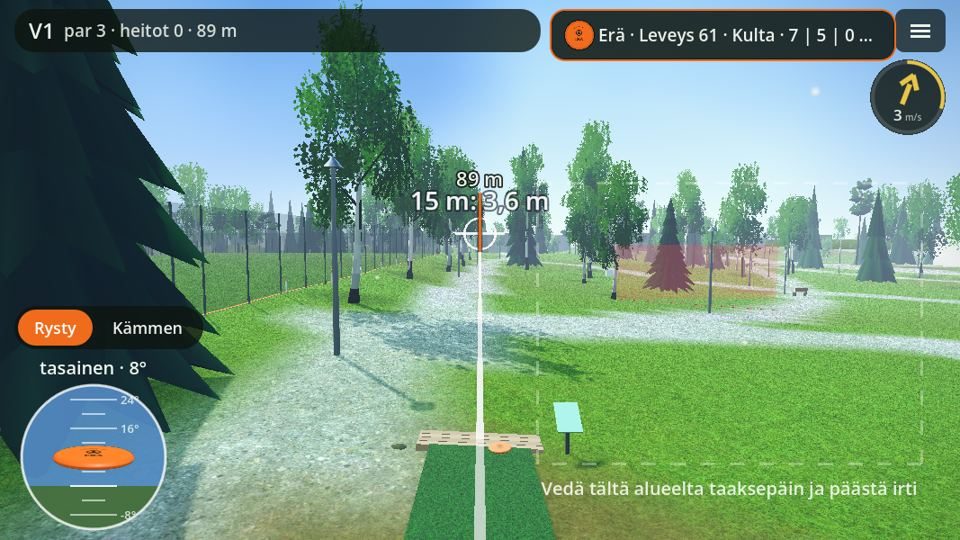
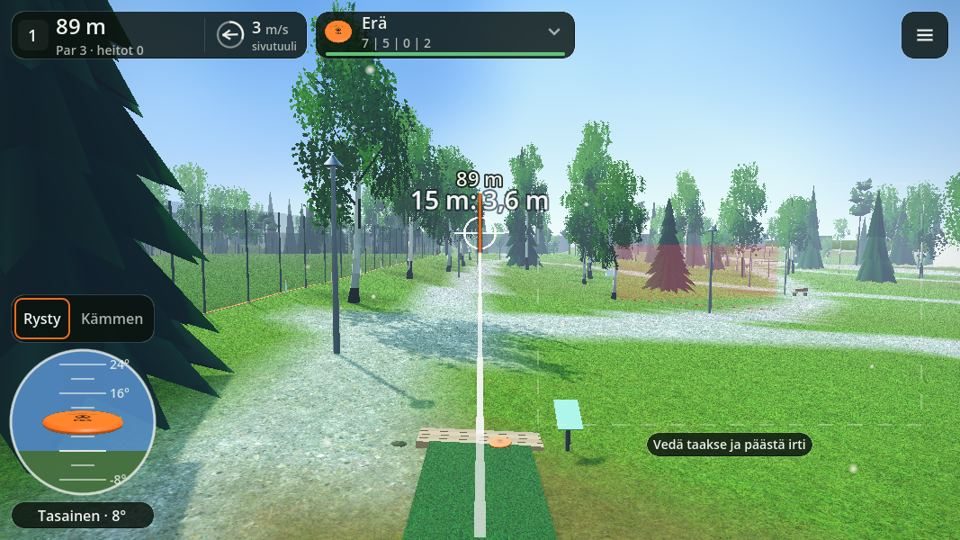
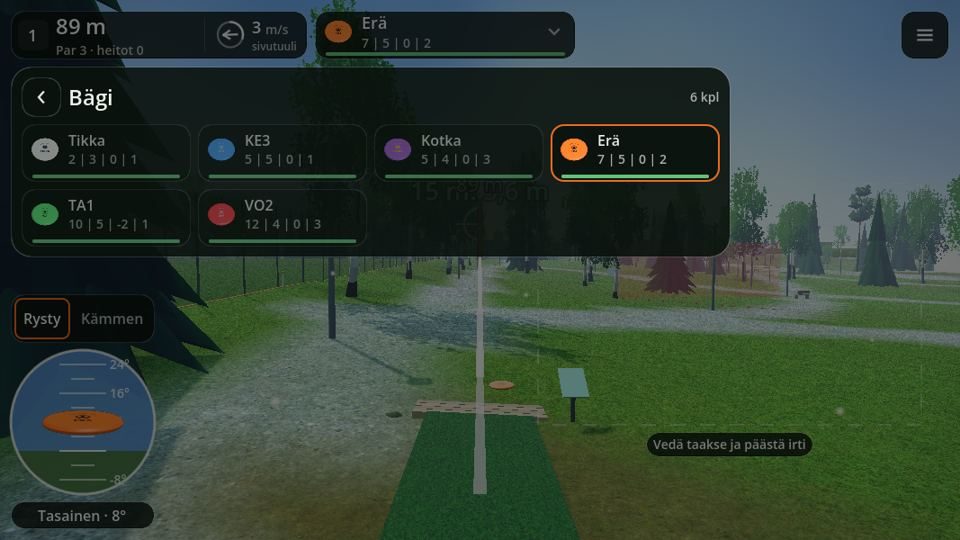
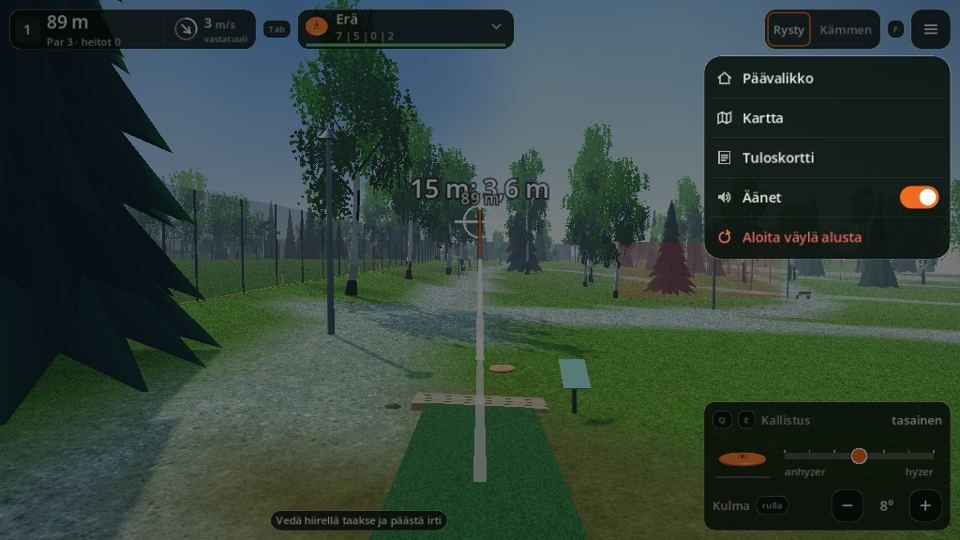
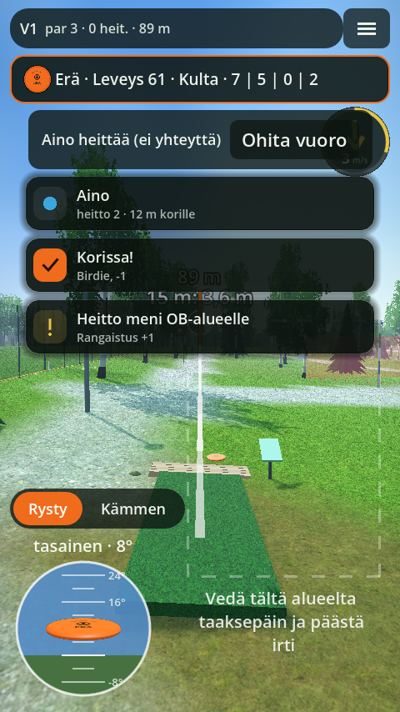
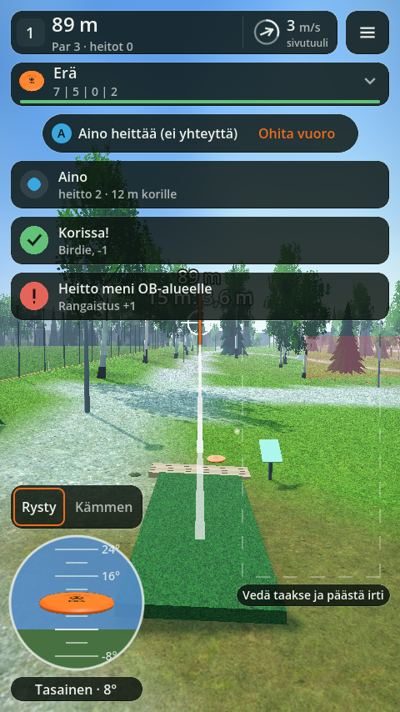
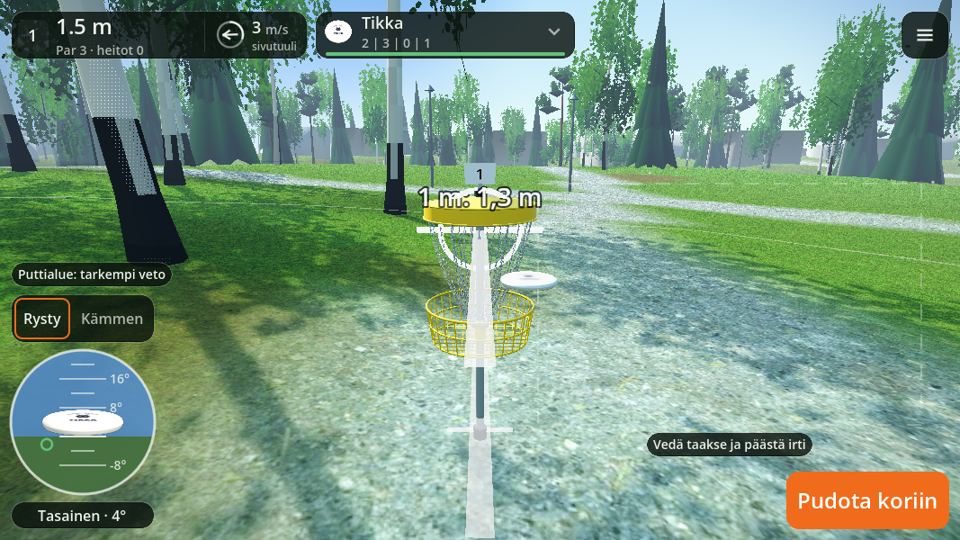
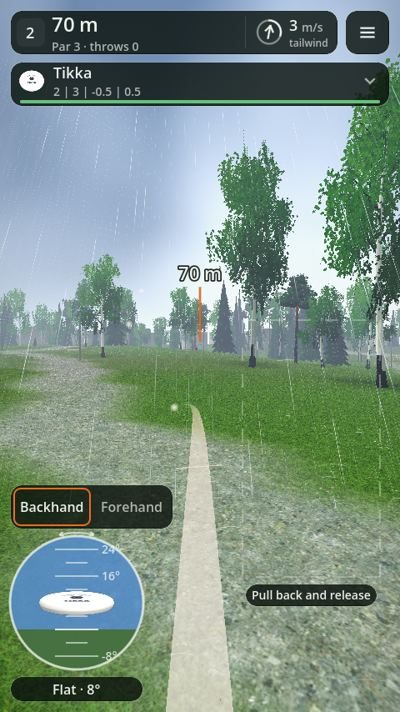
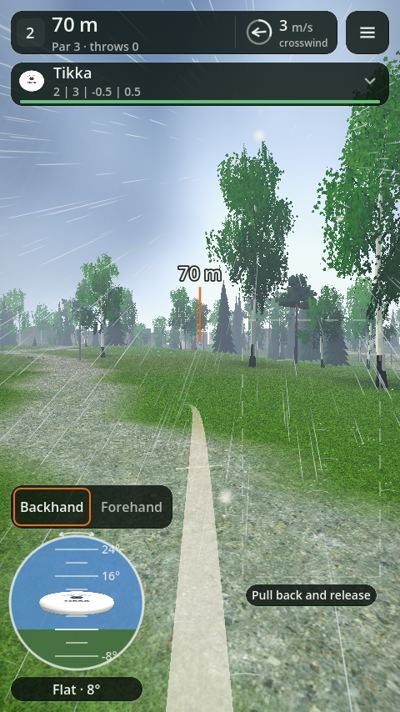
The hole number, distance, par, throws and wind are on one plate in the top row, and the menu button is next to it. In portrait the disc card is on a second row at full width; in landscape and on PC it is on the same row next to the plate. Nothing is left where the throw line should be.
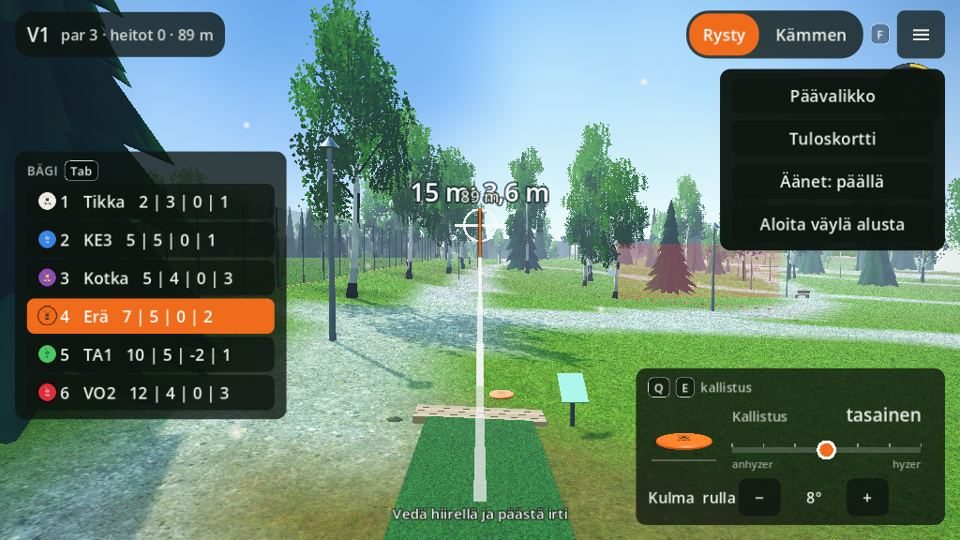
- Changing disc: tapping the card opens the bag. Swiping sideways or the arrow keys changes disc directly, and on PC Tab opens the bag. PC's permanent disc list has been removed because the card is enough.
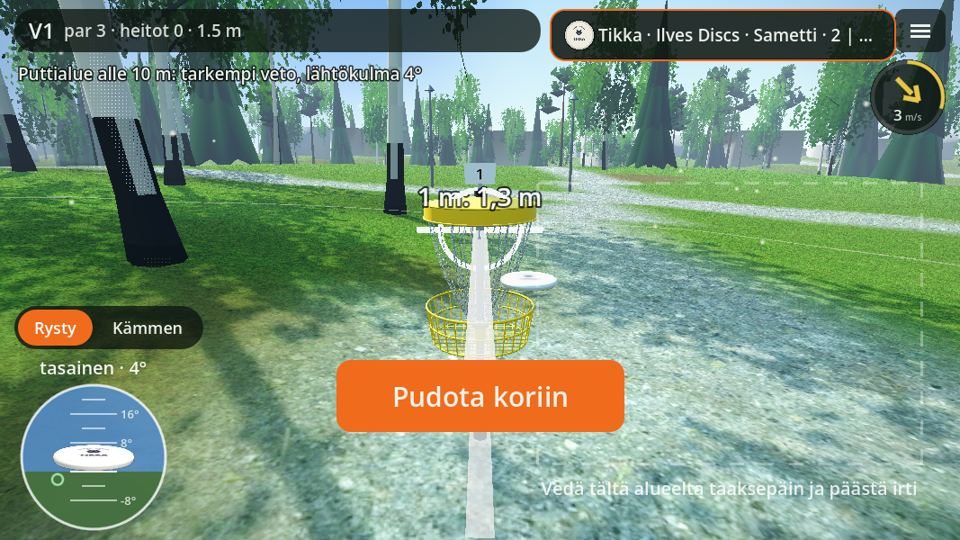
- Neutral wind marker: the ring no longer colours the wind strength. An arrow shows the direction and a word tells you whether the wind is a headwind, tailwind or crosswind.
- Throwing style: Backhand and Forehand are a choice bar where the selected option is framed.
- Throw line clear: the drag hint, the Drop in button and the throwing area are beside the line.
 0.50.6
Bag as a grid
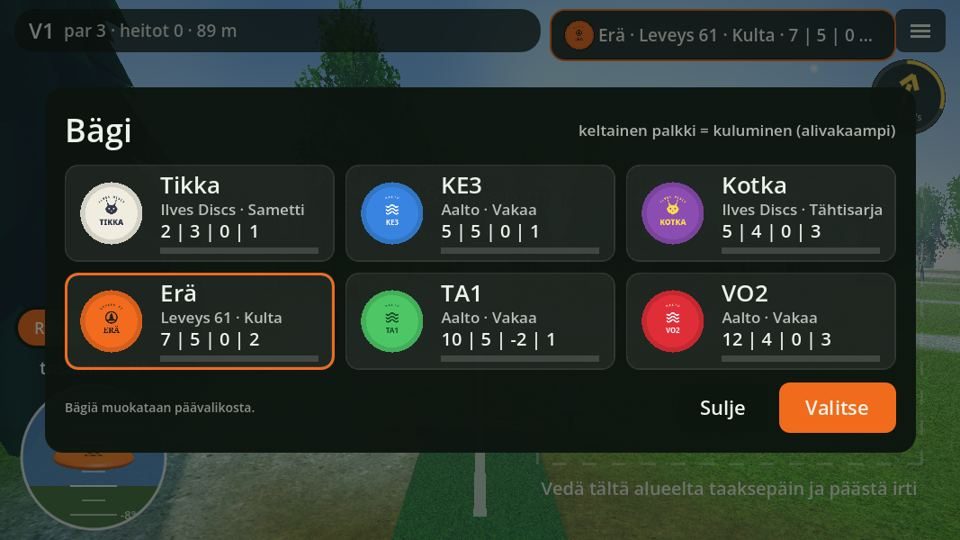
The bag opens at the bottom as a sheet where all discs are a grid: up to 12 discs fit at once. One tap selects the disc and closes the sheet, and no separate Select or Close button is needed. ‹ takes you back.
 0.50.6
Round menu and map
The menu button opens a pop-up sheet with icon rows, and resetting the round asks for confirmation. A new Map row shows all throws on the hole numbered, plus the throw list: disc, distance and where the throw ended.
 0.50.6
Throw result as a bar
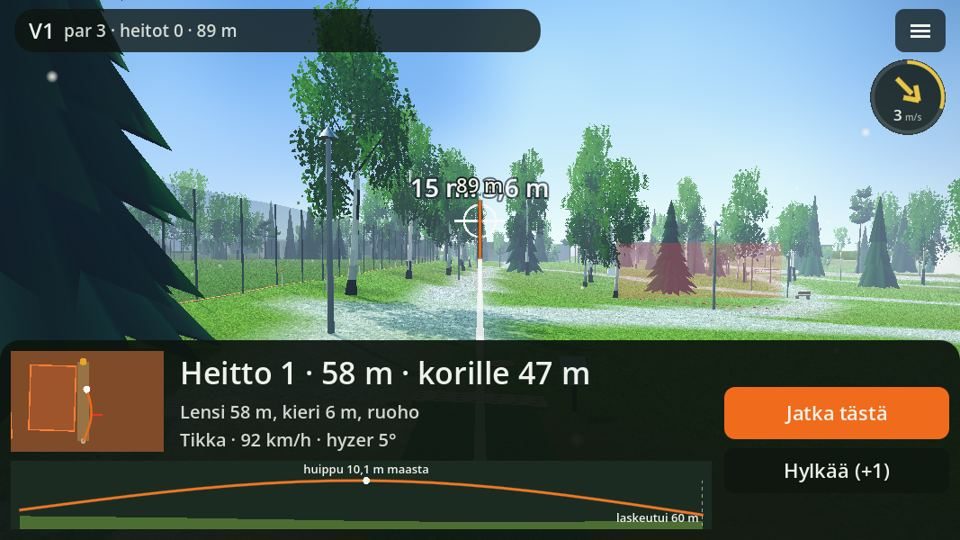
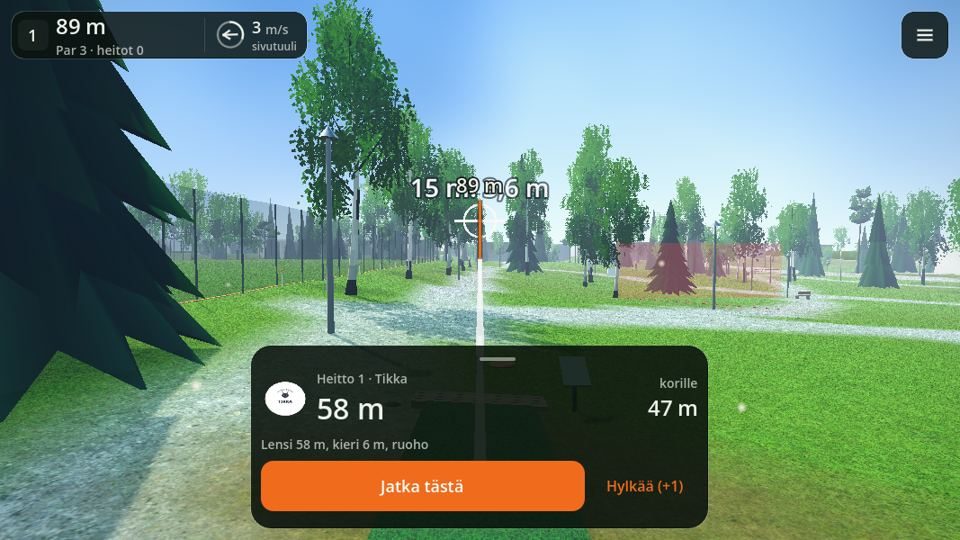
After a throw a result bar rises at the bottom: disc, throw length, distance to the basket and the next decision. Pulling the bar open shows the map and side profile as well as the throw's details (flew, bounced, speed and tilt). The permanent mini map has been removed, and Discard (+1) is a text action next to the Continue button; it asks for confirmation so a throw is not discarded by accident.
 0.50.6
Hole introduction and turn card
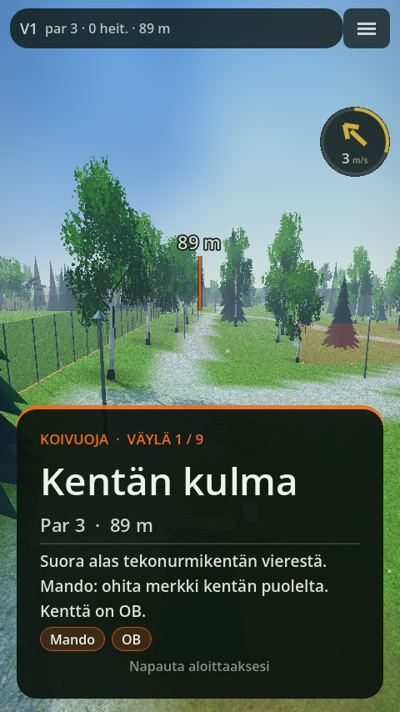
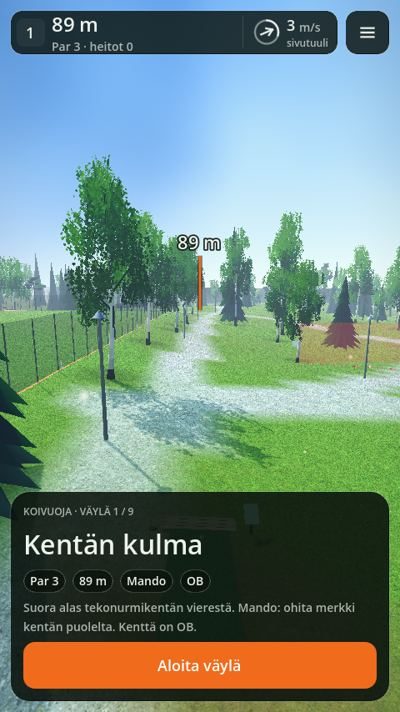
The hole introduction is a bottom card that leaves the top row and the hole visible: hole name, par, length, elevation and rules as chips plus a Start hole button. In multiplayer, the turn card covers the screen at the start of a turn and shows whose turn it is in large text; a Start turn button continues.
Notifications and turn bar
Notifications are dark plates below the top rows: a round status icon, a title and a subtitle. The turn bar has the player's avatar, and Skip turn is a text action.
Scorecard
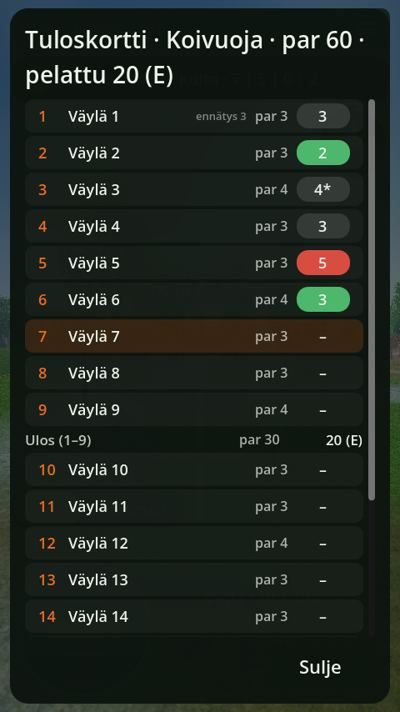
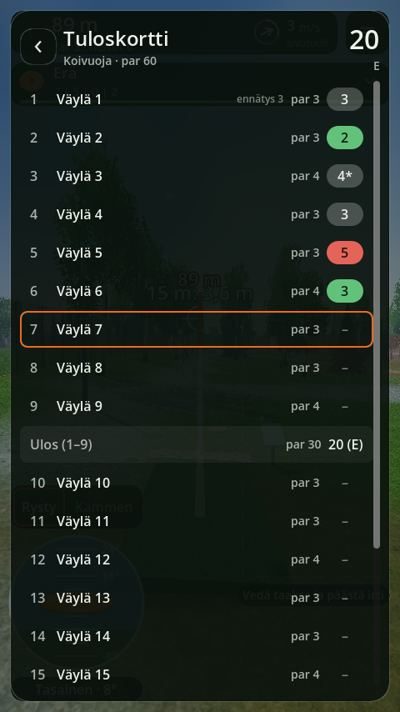
The scorecard has hole rows, and the hole in progress is marked. Under par is green, over par red and par neutral; a score with a penalty is marked with an asterisk. ‹ takes you one step back.
Putting and Drop in
Drop in is an action button in the bottom right corner, and in the putting area the drag hint is a chip next to the throw line.
 0.50.6
Plastics stand out
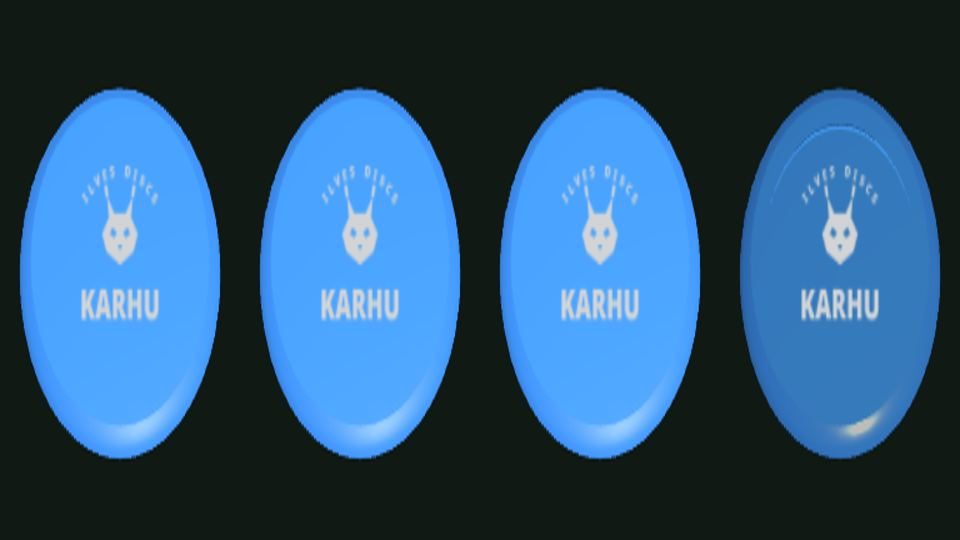
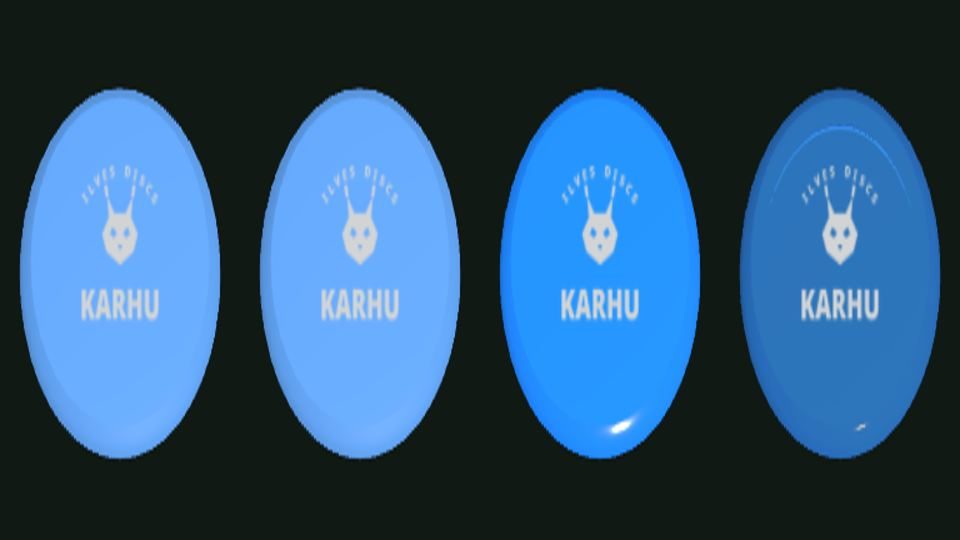
The plastic is now visible on the disc. Cheap and soft plastics are dim and a little paler, hard premium plastics shine brightly, and translucent plastics are the shiniest and glow at the edges. The difference shows both on the course and in the bag's icons.
 0.50.6
Fences stop the disc
The park fences were until now only visible mesh: the disc flew straight through between the posts and could end up OB, even though in real life it would have dropped at the foot of the fence (for example hole 4 at Koivuoja). The mesh now stops the disc along its whole length, more softly than a tree trunk. At the same time the park benches next to the tees and the power line pylons gained collision.
Arranging the bag by dragging
On the bag screen a disc can be moved by holding a finger on the card and dragging it to a new place; the Sort button works as before.
Rain and trees
Near rain is now drops in the world instead of a curtain attached to the camera: when following the disc you travel through the rain, streaks stretch in the direction of movement, and trees hide the drops. The tree next to the disc stays solid when aiming (previously it faded to transparent), so you can aim around it. The tree canopy now also matches the visible tree in collisions down to the lower branches, so a wide line does not fly through a tree at the edge.
 0.6-rc0.6
Shareable scorecard
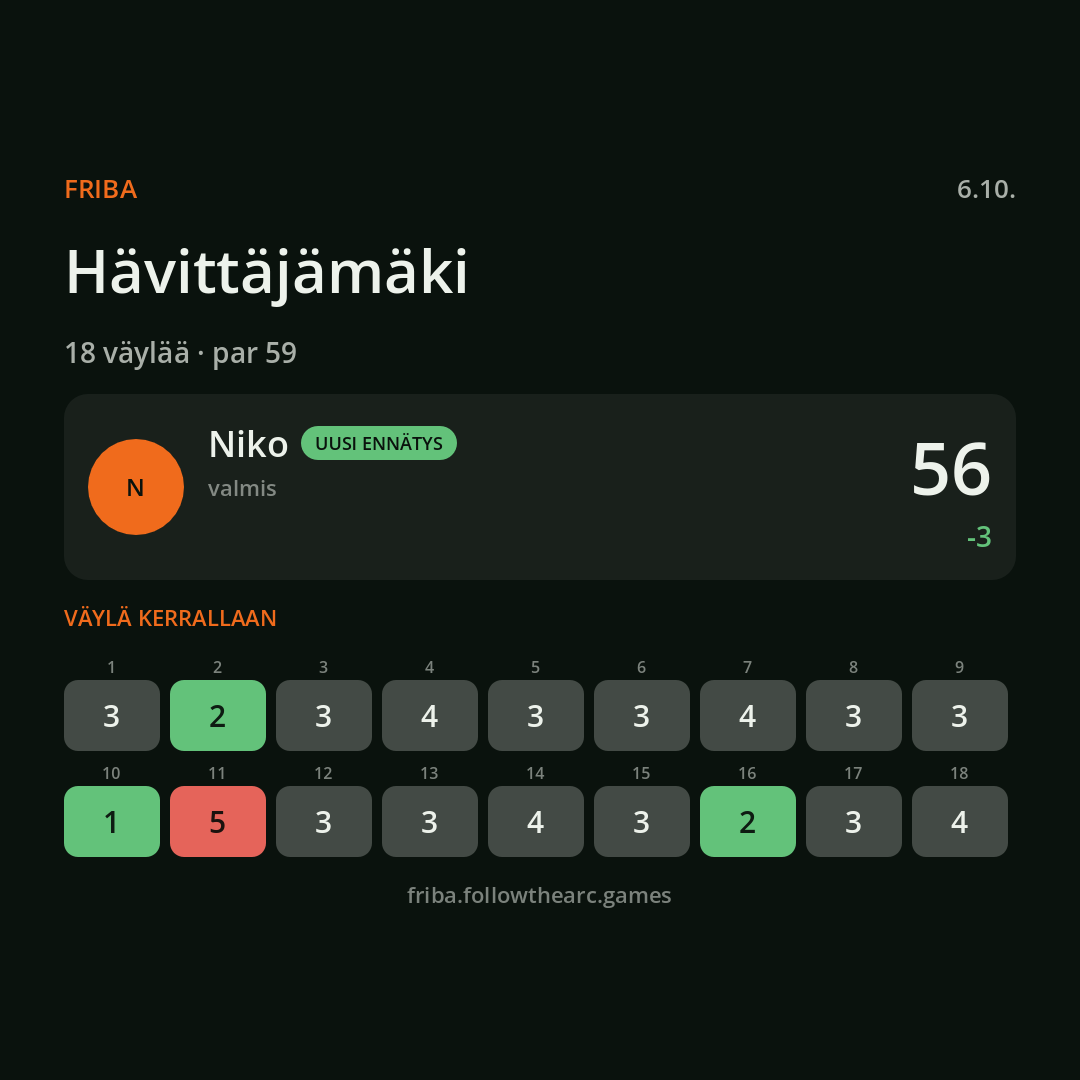
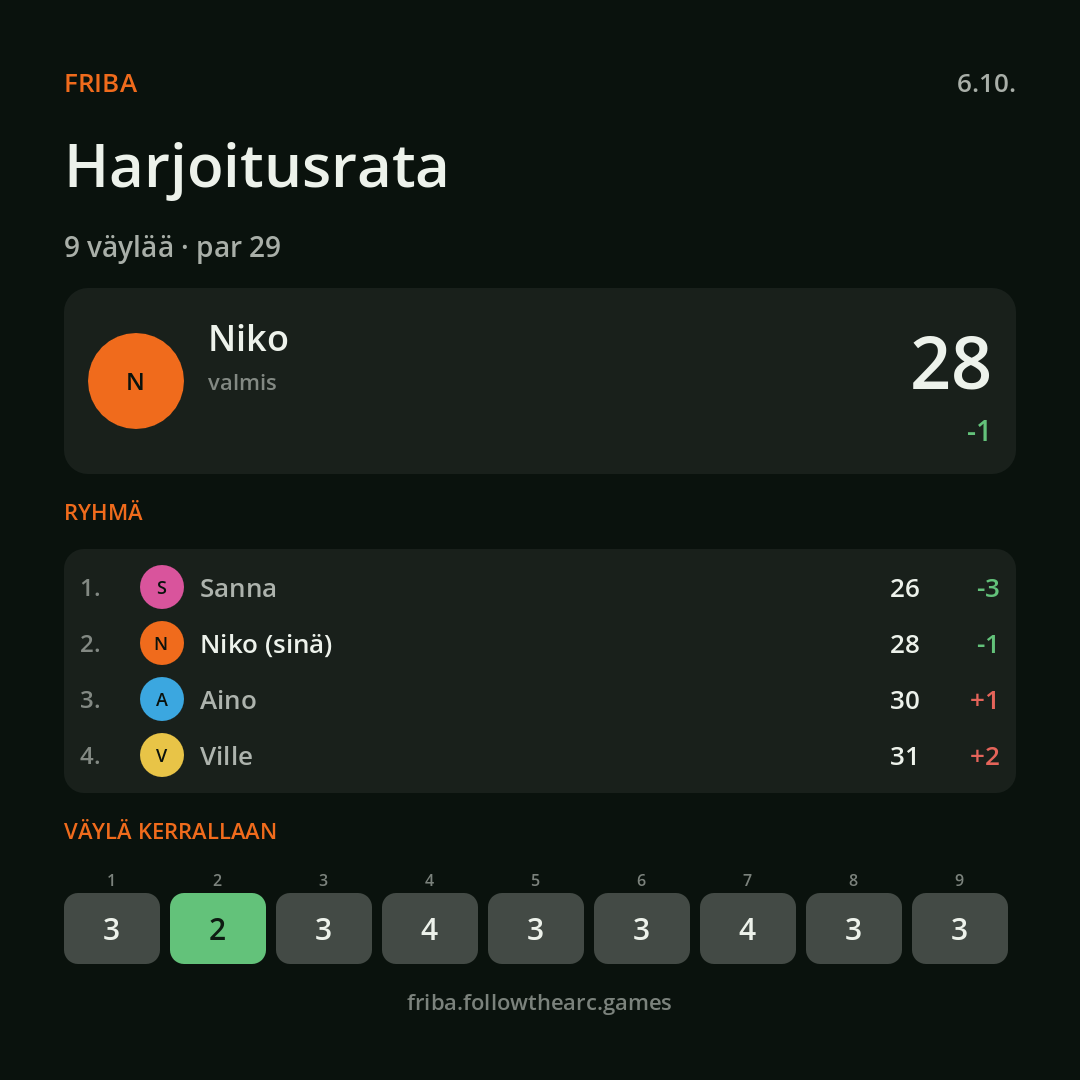
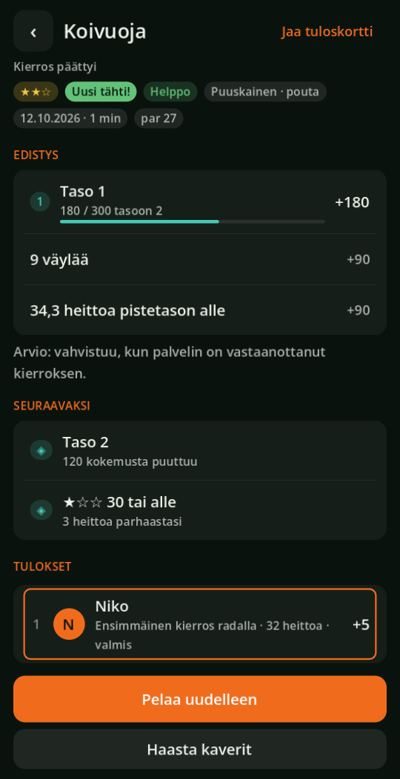
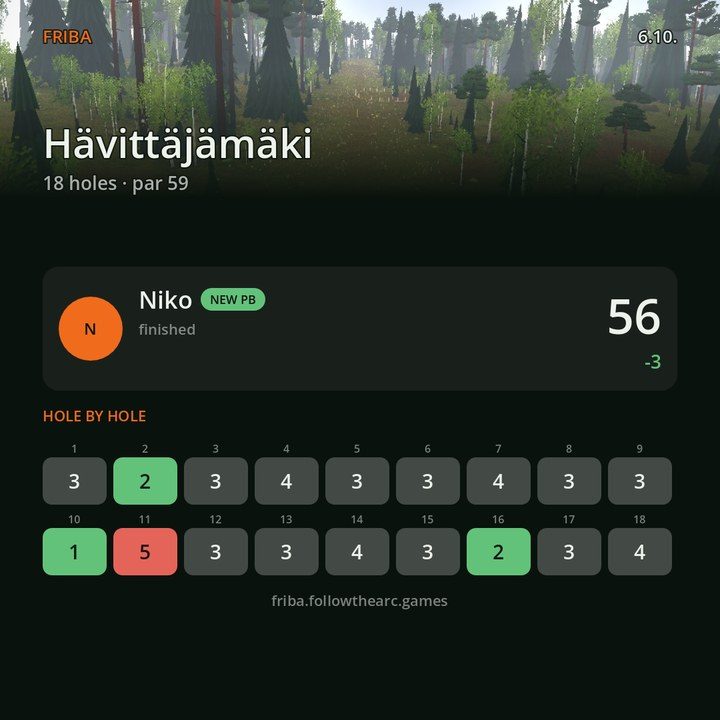
At the end of a round, Share scorecard in the results screen makes a square image: course, date, your score and any new record, the group's order, and the hole results in the same colours as the scorecard. On a phone the image goes to the share sheet; in a browser it is shared or downloaded.
Course stars
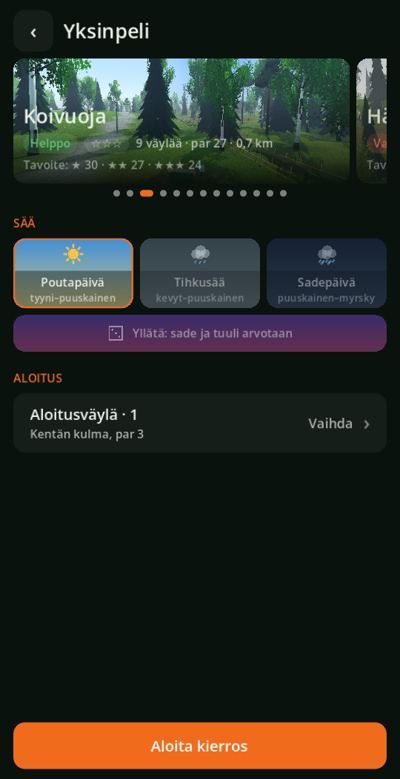
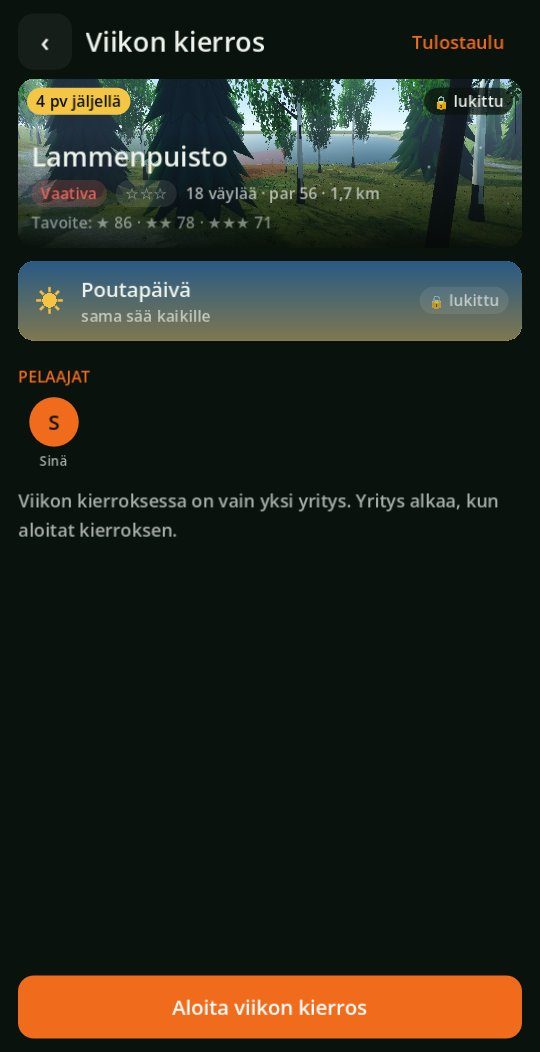
A rating has been measured for every course: how many throws an average player needs to play it. The level is measured by a bot player that plays every hole 24 times with the game's own physics, so the number does not depend on how many players are in the game. The course's best score gives the stars: two stars is par, one star is a third of a throw per hole above it and three stars the same amount below it (on nine holes par + 3 / par / par − 3). The course card shows the target scores, and at the end of a round a new star gets its own marker. The same number gives the course's difficulty class: easy, intermediate or demanding.
Round rating
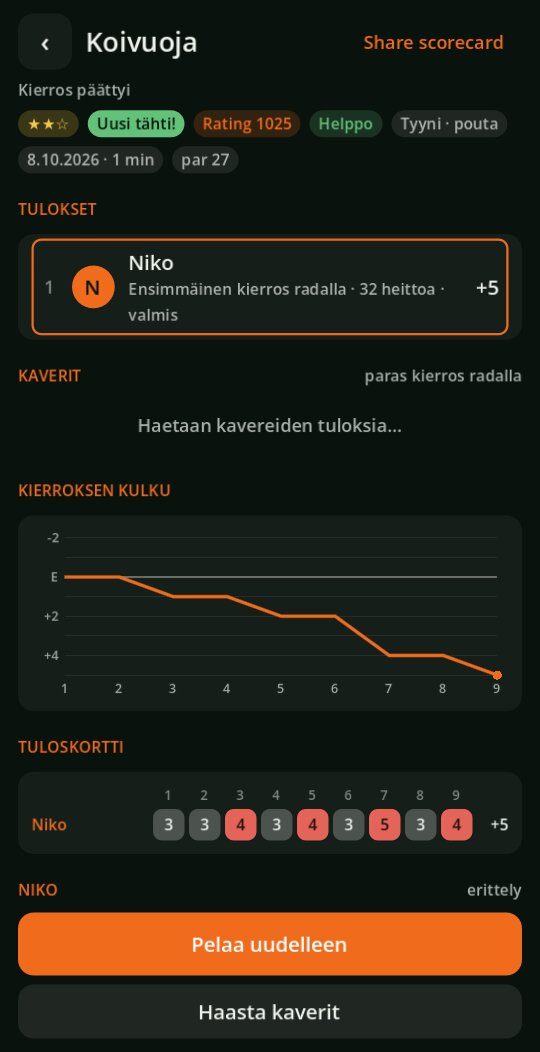
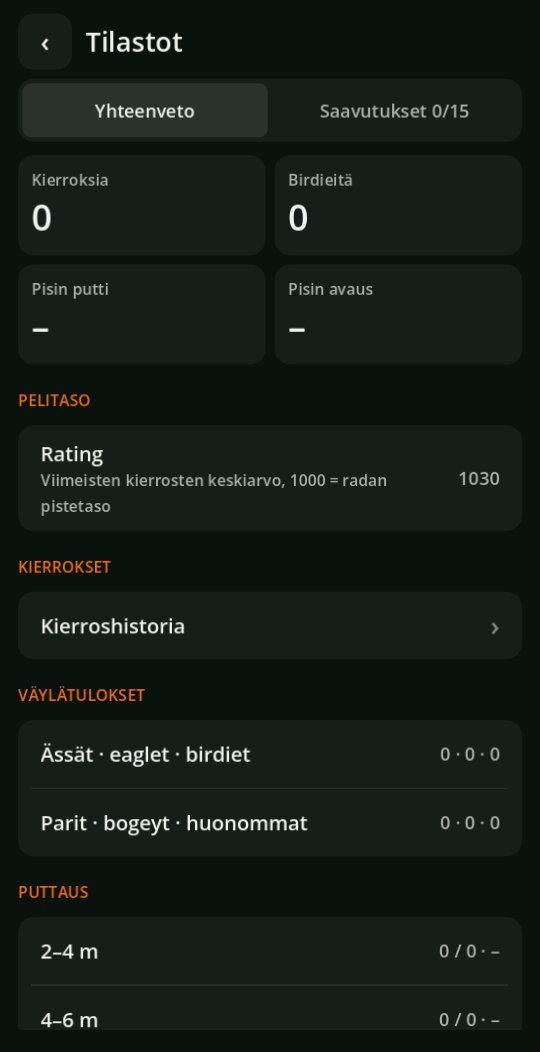
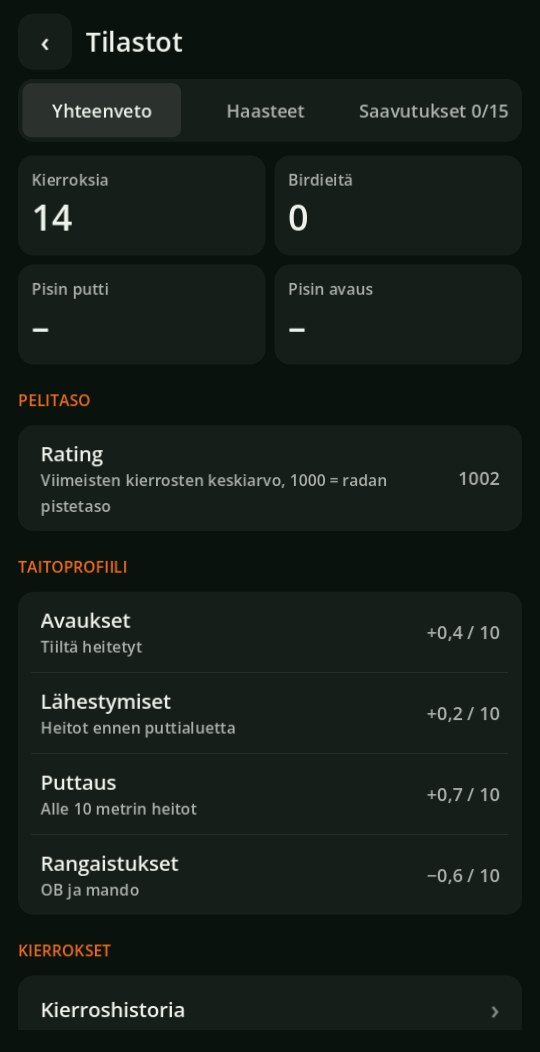
Every complete round gets a rating: 1000 is the course rating score and one throw per hole better is 100 points more. The rating measures the score against the course's own level, so it works in single player too and does not require other players, and no rating groups are needed. After three rounds Stats shows the player's rating, which is the average of the latest rounds weighted towards the newest.
Disc passport
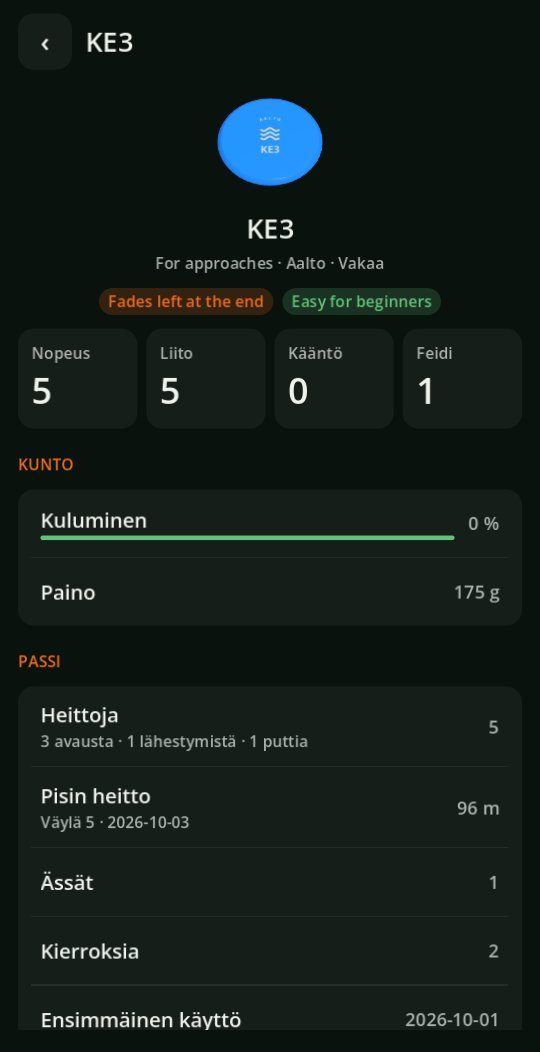
Every disc now has its own history. A disc's screen in the bag shows the number of throws divided into drives, approaches and putts, the longest throw with hole and date, aces, rounds played and the first day of use. The same model in the same plastic shares one passport; colour does not separate discs.
Plastic contact
The hardness of the plastic now affects what the disc does after hitting the ground. Soft plastic bounces a little and stops quickly, hard translucent plastic slides and travels far, and a bounce off a fence or a trunk follows suit. There are five classes, and the Ground contact row on the bag's disc screen tells you how your plastic behaves. The hardness does not affect flight.
Weekly Round
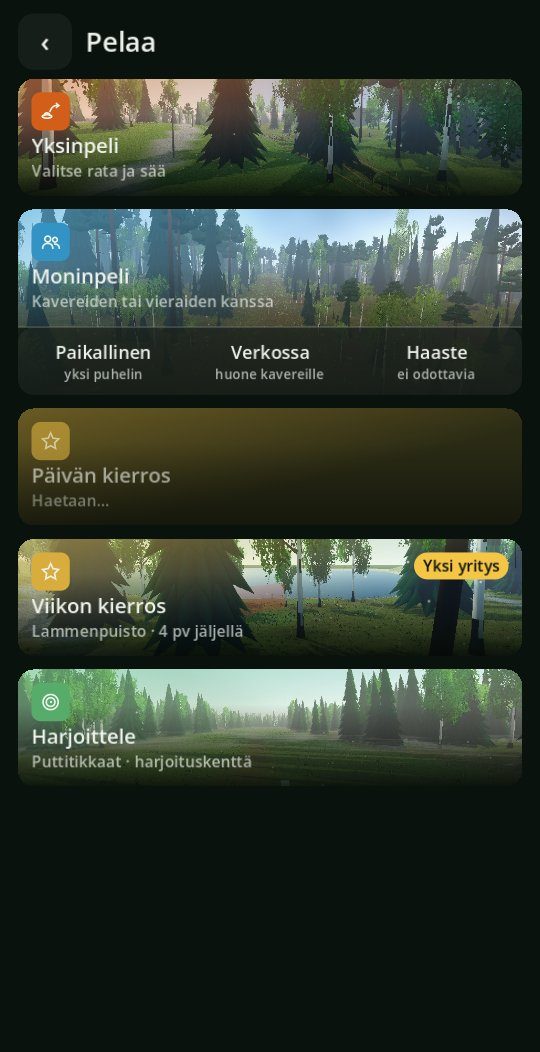
The Play screen gets a Weekly Round: every week everyone plays the same course in the same weather, and each player has only one attempt. The attempt is used when the round starts, so an interrupted round continues but cannot be restarted. The screen shows the time left and the leaderboard, and once the round is played, your score and position. The week changes on Monday at midnight, and courses rotate in six-week periods so the same course does not come two weeks in a row.
Front and back nine
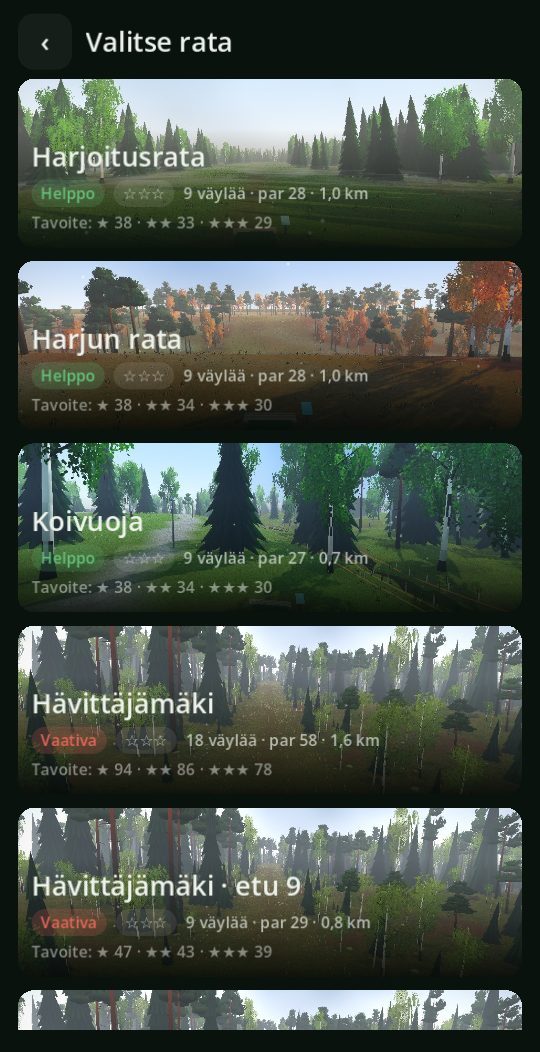
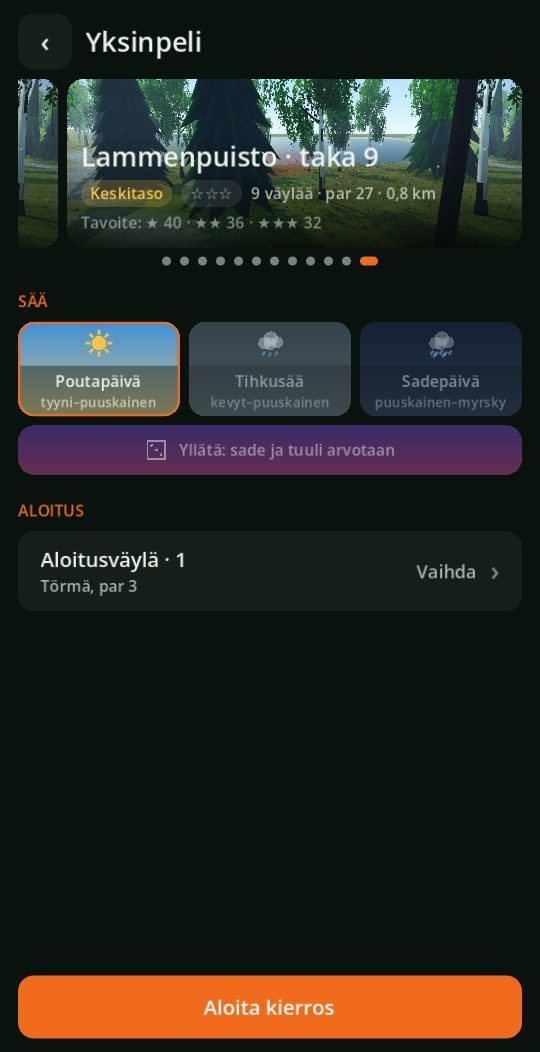
Courses with more than nine holes (Hävittäjämäki, Kumpupuisto and Lammenpuisto) can now be played as just the front or back nine when there is no time for a full round. A nine is its own row in the course list after its course: it has its own stars, targets, rating and record, and its holes share hole records with the full course. The Daily Round is always nine holes, so it can be played in a few minutes. The Weekly Round remains the full course.
Hole challenges
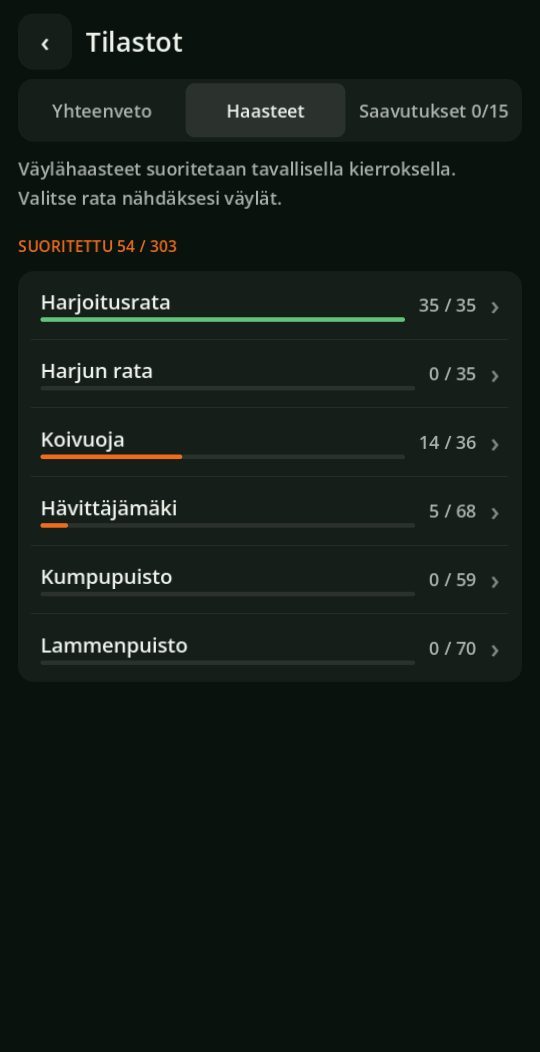
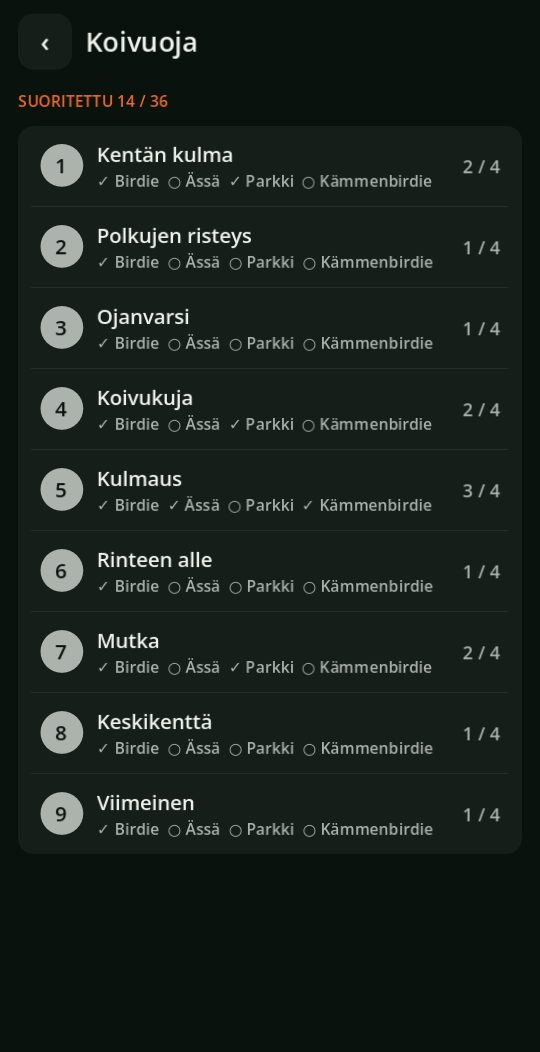
Every hole now has four challenges: birdie, ace (on par 3 holes), park, meaning a disc within 3 metres of the basket with an approach or drive, and birdie with a forehand drive. They are completed during a normal round and do not have to be selected in advance. When a challenge is completed, a notification is shown after the hole. Stats → Challenges collects the achievements by course as bars, and the course screen shows the status of every hole. The holes of a nine accumulate towards the full course's challenges.
Skill profile
Stats' Summary gets a Skill profile that tells you where you play better than average and where worse. Every throw is compared with what an average player would get from the same place, and the balance accumulates in four categories: drives, approaches, putting and penalties. The difficulty of the hole is taken into account, so a long tight hole does not look like your own mistake. The number is shown per ten throws, and it appears once a category has ten throws.
Milestones
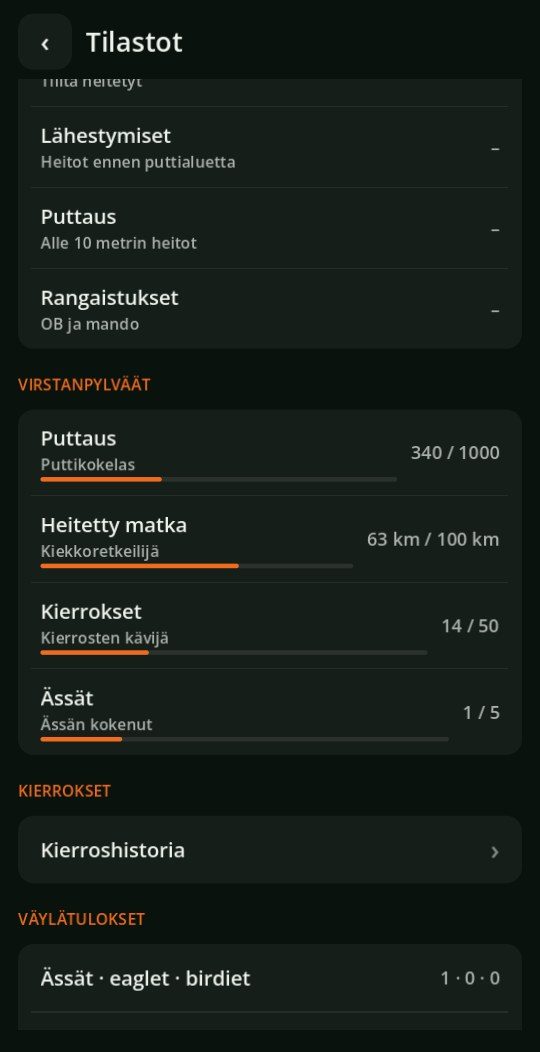
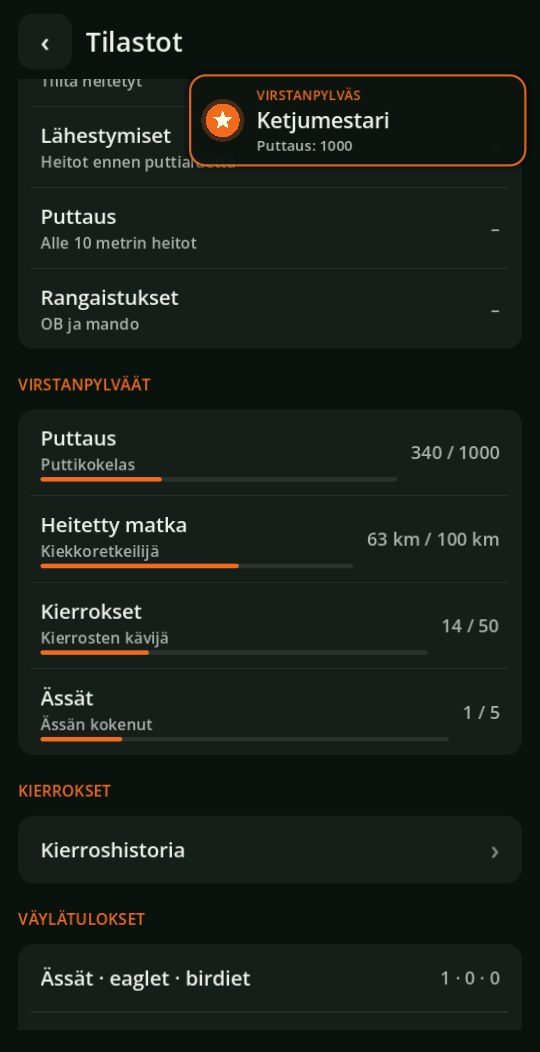
Consistent play is now rewarded also without individual achievements. Putts, distance thrown, rounds and aces accumulate as lifetime counters with three tiers and a title for each, for example Putt Apprentice, Chain Master and Basket Whisperer. In Stats' Summary a bar shows how close the next tier is, and when a tier is reached a notification arrives during play. For a player with an old save the current situation is recorded quietly, so old accumulations do not cause a flood of notifications. Distance thrown starts from an estimate based on previous drives.
New course: Kairankangas
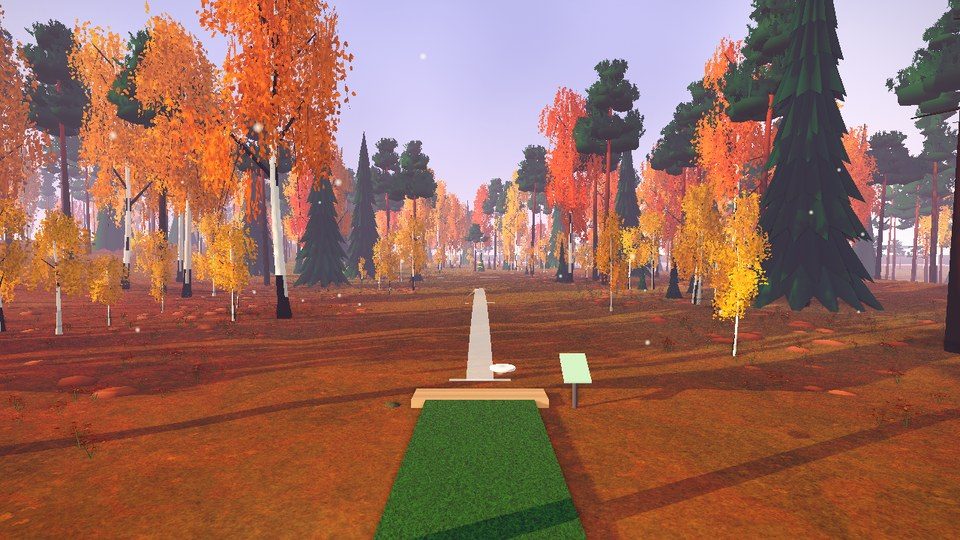
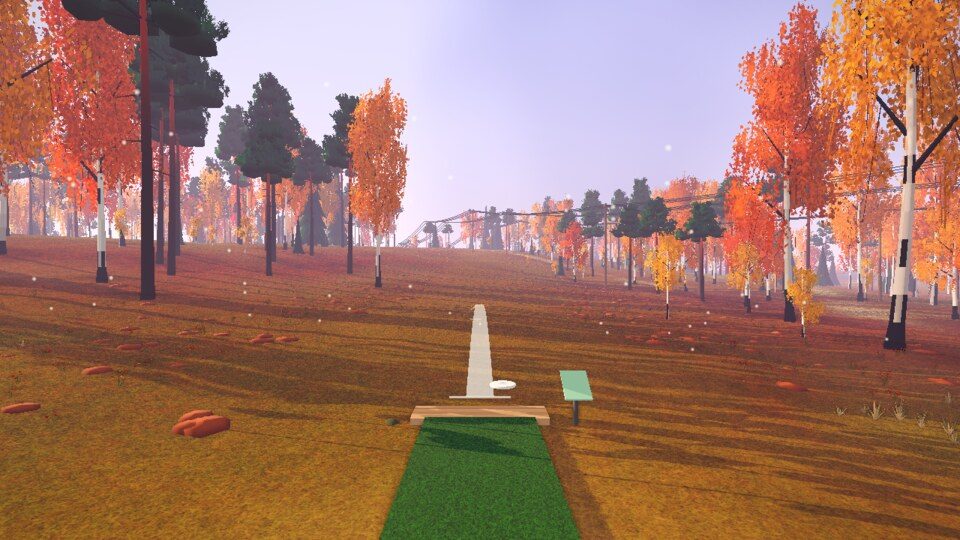
A nine-hole pine forest course in Lapland's autumn colours: golden yellow and orange birches, heather turned red and a pale lilac autumn sky. It includes a power line corridor that hole 3 crosses, and a cemetery fence next to holes 6–8 (the area behind the fence is OB). The holes are short (52–118 m, course par 29), so the course is among the easy ones in the course list; hole 6 has a mando, recognisable from afar by the red-and-white pole and the yellow flag. Hole 9 bends to the right.
Shareable scorecard
The scorecard shared at the end of a round now shows the course's own picture at the top, with the course name, number of holes and date over the image. The image fades smoothly into the bottom of the card, so the results and hole tiles stay as clear as before.
In English
The language can be changed to English in Settings, and it now covers the whole game: the main menu, the in-round view, stats, friends and rooms, the rules, notifications, and the courses, holes and disc descriptions. Disc and manufacturer names are the same in both languages.